Share a Notebook
A .ipynb file is for someone who has Jupyter. For anyone else, Zasper can export the notebook as an
HTML page, as Markdown or as a script.
The pictures on this page are of tutorials/04-data-analysis.ipynb, a small analysis of the Palmer
Penguins from zasper-tutorials, run from top to bottom.
The Export Menu
The button is at the end of the notebook’s toolbar, past the kernel and set apart from it.
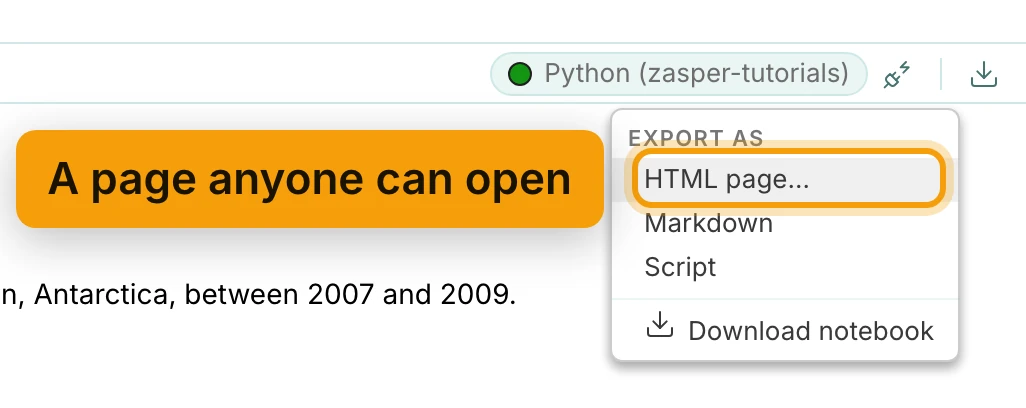
It exports what is on the screen, not what is on disk. Unsaved edits and the output the kernel produced a moment ago are in the file you get, which is usually what you want and worth knowing when it is not. Nothing is sent anywhere: the conversion happens in the browser and the file lands in your downloads.
Download notebook, at the bottom of the menu, is the exception. It hands over the .ipynb itself
as it is on disk, so save first if the tab shows unsaved changes.
HTML Page
A page anyone can open, with the code highlighted and the output under it, styled in Zasper’s own light theme so it reads the same on any machine. This is the row to pick when the reader should not have to install anything.
It is the one format that asks a question first. Export as HTML offers two checkboxes:
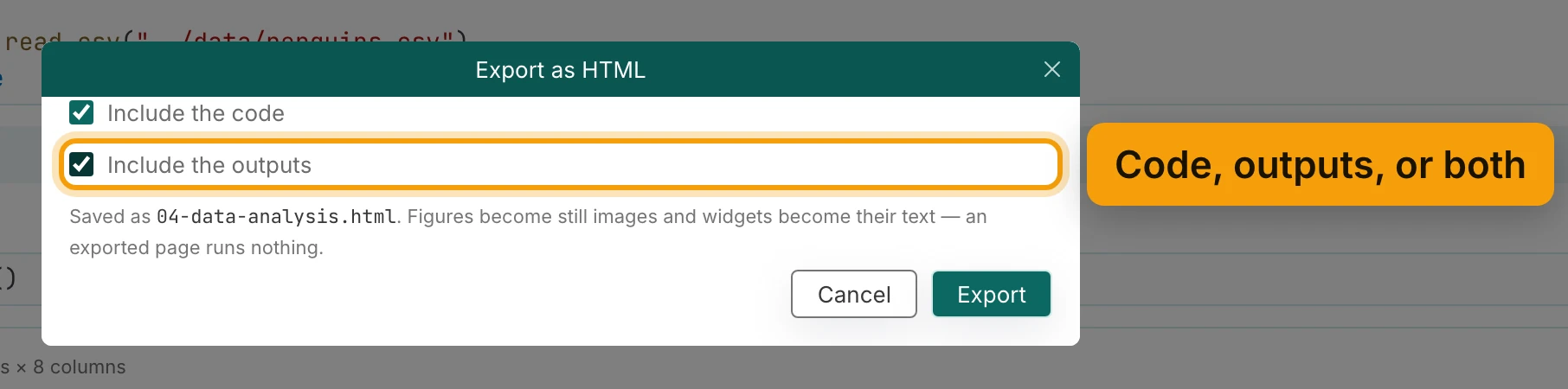
- Include the code: turned off, it gives a report of prose and results with no source.
- Include the outputs: turned off, it gives a blank worksheet, the code with no results.
Both off writes nothing worth having, so the dialog will not let you. One thing to know before you send the page: a figure in it is a picture. Interactive plots stop being interactive and widgets become their plain text, because a page runs nothing.
Markdown
The notebook as a document: markdown cells as themselves, code cells as fenced blocks tagged with the kernel’s language, output underneath. This is the shape that drops into a README, a wiki or a pull request, and the one to pick when the text matters more than the run.
Script
The code alone, in the kernel’s language, with the markdown cells kept as comments so the reasoning
survives. The extension comes from the kernel the notebook ran on rather than from a guess. A Python
notebook gives you .py, a Deno one .ts.
Use it when a notebook has turned into something that should be a module, or when a reviewer wants to read the logic without the JSON around it.
What Stays Behind
Every export is a copy: the notebook itself is untouched. The HTML page and the Markdown cannot be
opened back up as a notebook. The script is in jupytext’s percent format, # %% before each cell,
which VS Code and jupytext reopen as cells, though without the outputs. To keep working on it, keep
the .ipynb.
Notebook Support lists what renders in a notebook and therefore what can appear in an export, and Track Changes with Git covers keeping the notebook itself reviewable.
Next: Query Data with SQL.
