Changelog
Every release of Zasper, newest first. Zasper tells you itself when there is a newer one.
2.0.0 Latest Major
22 September 2026
Language servers, search across the project, and a terminal panel under the editor. It is a major release because two parts of the documented API changed incompatibly, both as part of moving the browser’s session into an HttpOnly cookie. The app upgrades without any action.
Upgrading from 1.1.0
- WebSocket routes no longer accept
?token=<jwt>. SendAuthorization: Bearer <jwt>on the upgrade instead. protectedis no longer in/api/configor/api/info. Treat a missing field astrue.- You will be asked to sign in once.
- A notebook’s kernel starts in the notebook’s folder, as in Jupyter.
Highlights
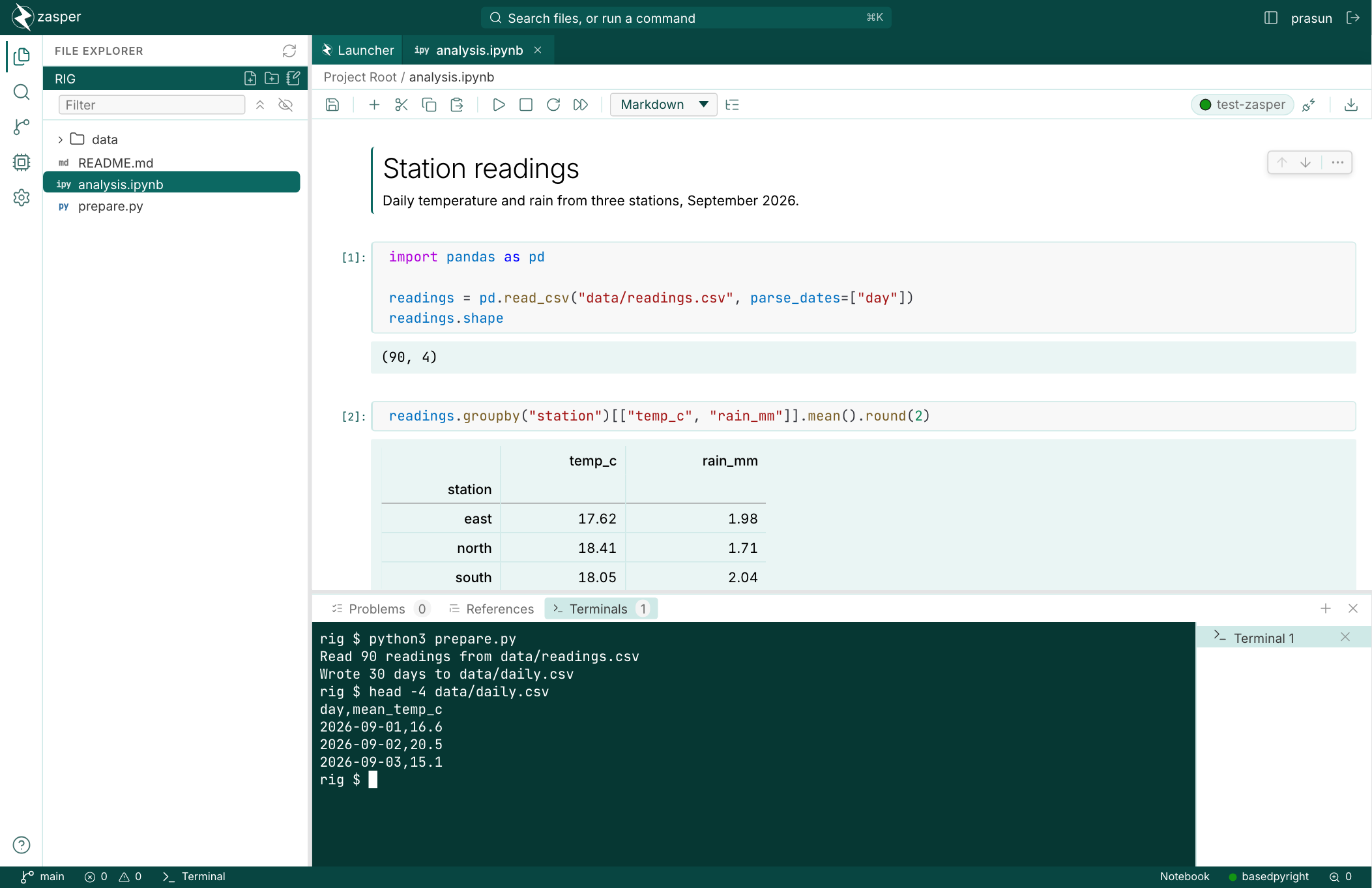
- Language servers for Python, Go, JavaScript and TypeScript, Rust, C and C++, R and Julia, in files and in notebooks.
- Search across the project, with replace and a preview.
- Find and replace in a notebook, across cells and outputs.
- Export a notebook as an HTML page, Markdown or a script.
Every change in 2.0.0 16 added · 4 changed · 6 fixed
Added
--allow-hostandZASPER_ALLOWED_HOSTS, for serving Zasper behind a reverse proxy.- Language servers: diagnostics, completion, hover, go to definition, references, rename, symbols, inlay hints and format on save.
- Search across the project, with replace and the matches in unsaved editors included.
- Find and replace in a notebook, across cells and outputs.
- Export a notebook as an HTML page, Markdown or a script.
- A table of contents beside a notebook’s cells.
- Command and edit modes in notebooks, with Jupyter’s keys.
- Choose a Python interpreter, and run a Python file in the terminal with it.
- A terminal panel below the editor.
- Editor settings, and
.editorconfigfiles are honoured. - The status bar shows and changes a file’s language, indentation and line endings.
- Go to line and recent files in the command palette.
- A file changed on disk updates its editor, and your unsaved edits are kept.
- A Settings switch for loading widget libraries from the CDN.
- A notice when your session ends or the server stops.
- The startup banner is in colour.
Changed
- Stopping a kernel asks it to shut down instead of killing it.
- A kernel accepts more than one connection at a time.
- Switching themes no longer animates every colour on the page.
- Terminals are no longer offered on Windows, where they have never worked.
Fixed
- A kernel that failed to start left its connection file behind.
- Saving a file reset its permissions.
- Saving a file that is a link replaced the link with a plain file.
- A delete request naming the project folder itself was not refused.
- On Windows, language servers in a project’s
.venvwere not found. - Notebooks with Plotly, Vega or other
application/*+jsonoutputs did not open.
1.1.0
14 September 2026
Sign-in, tightened: every server requires the access token, and opens signed in.
Upgrading from 1.0.0
- Every server now requires the access token.
ZASPER_JWT_SECREThas been removed. SetZASPER_ACCESS_TOKENto a fixed token instead.- Zasper opens your browser on startup, already signed in. Pass
--no-browserto turn it off.
ZASPER_ACCESS_TOKEN, to fix the access token.- A sign-in link in the startup banner.
- Setting up a Python kernel from the Launcher.
1.0.0
10 September 2026
The first stable release. Zasper’s HTTP and WebSocket API, its configuration file and its command-line flags are covered by semantic versioning from here on: they will not break within 1.x.
Highlights
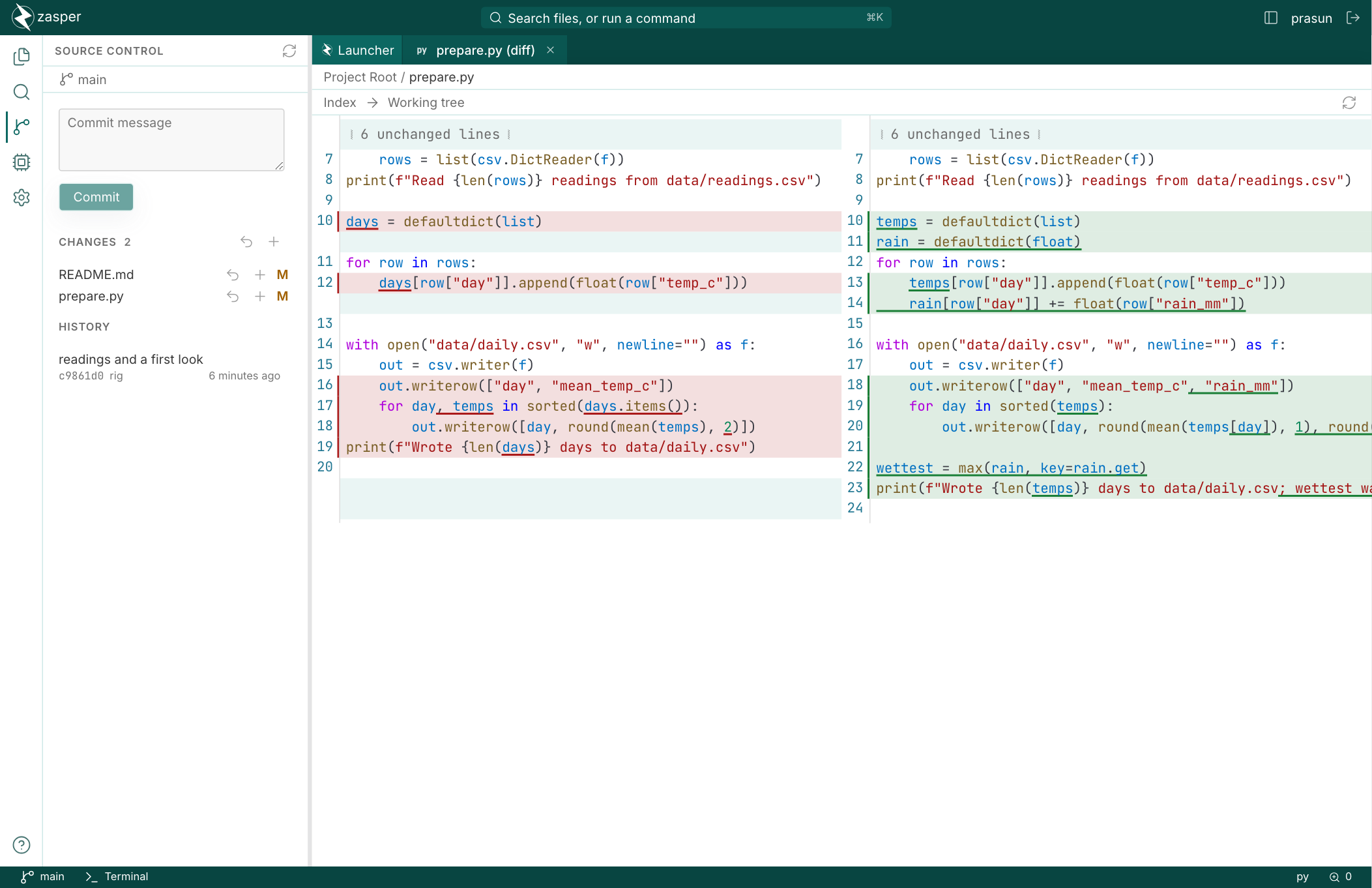
- Notebook outputs: ipywidgets, Plotly, tables and LaTeX.
- A command palette for files and commands.
- Nine themes from one set of design tokens.
0.2.0-beta
10 June 2025 · Pre-release.
0.1.0-alpha
23 May 2025 · First public pre-release.
Release emails, from GitHub
GitHub emails you each release's notes, and nothing else, once you watch the repository for releases. It needs a GitHub account; the Atom feed does not.
- Open Watch on the repository.
- Choose Custom.
- Tick Releases, then Apply.
