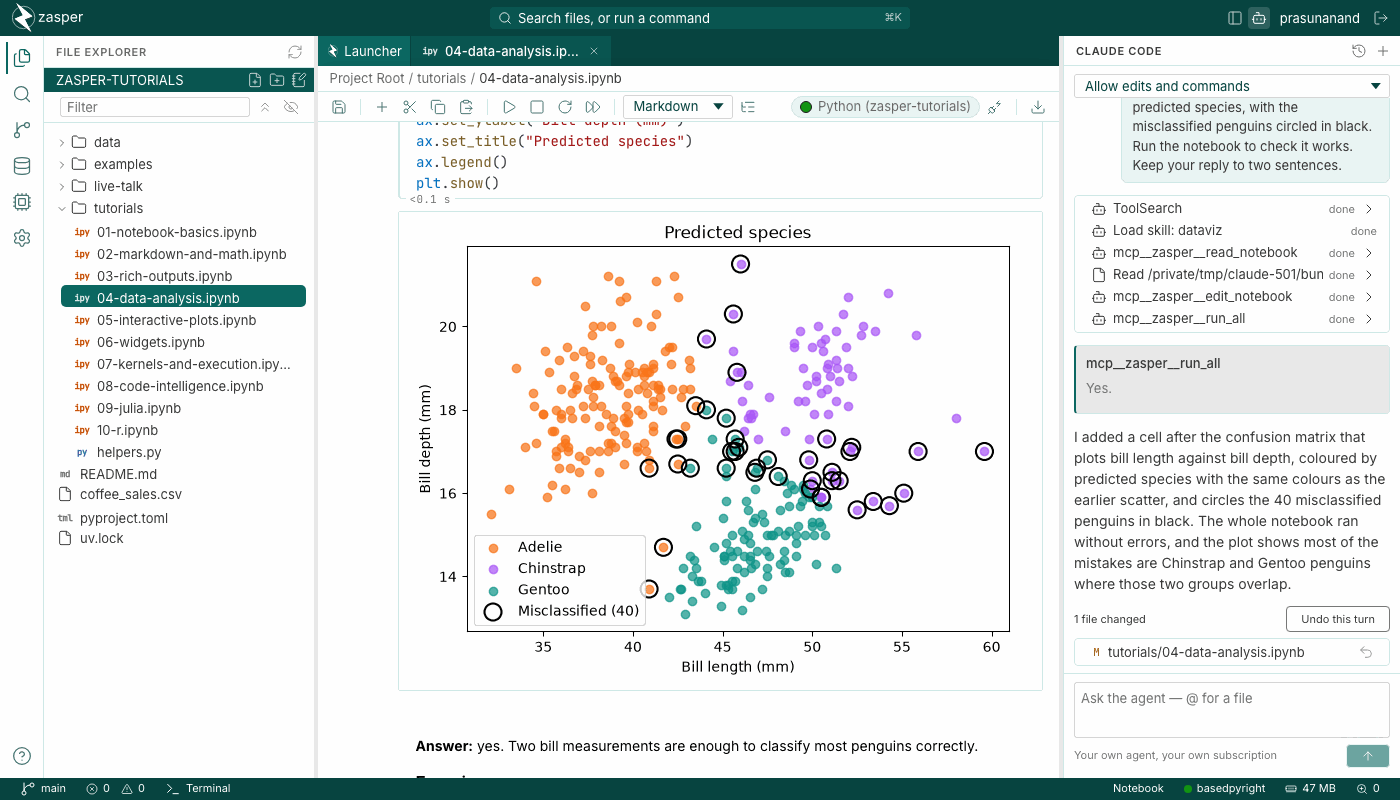
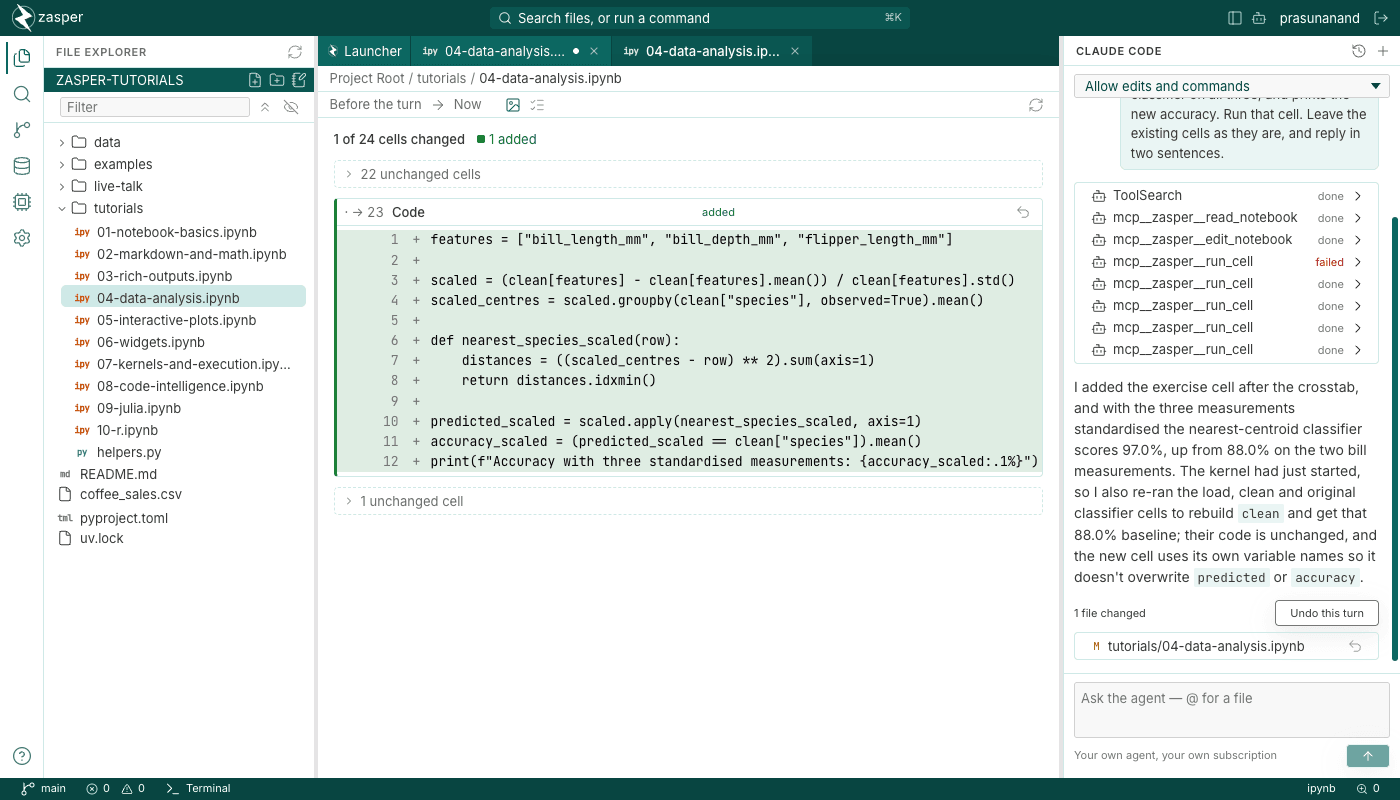
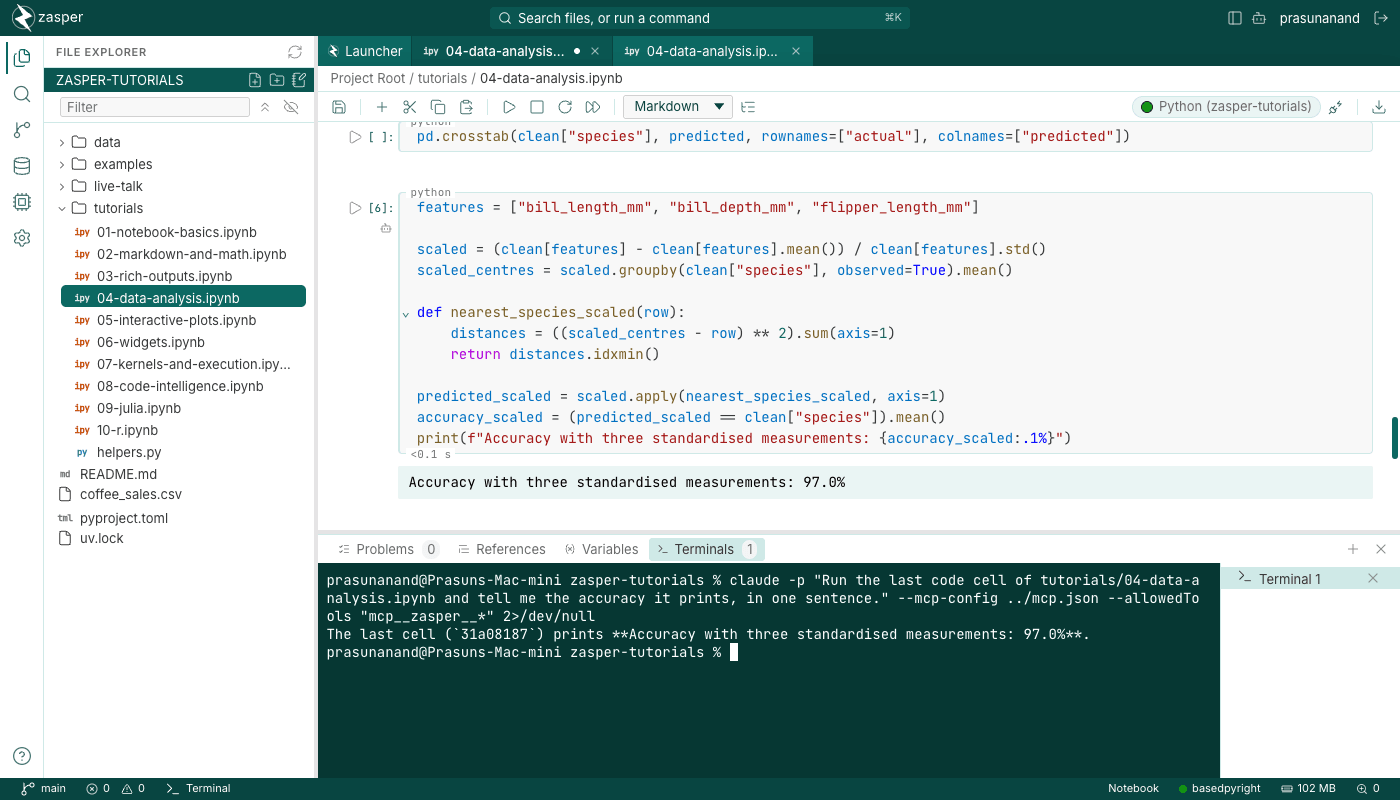
Zasper is a Jupyter IDE you run on your own machine. It opens the notebooks and kernels you already have, uses a fraction of JupyterLab's memory, and lets Claude Code, Codex or Gemini read, edit and run cells while you watch.
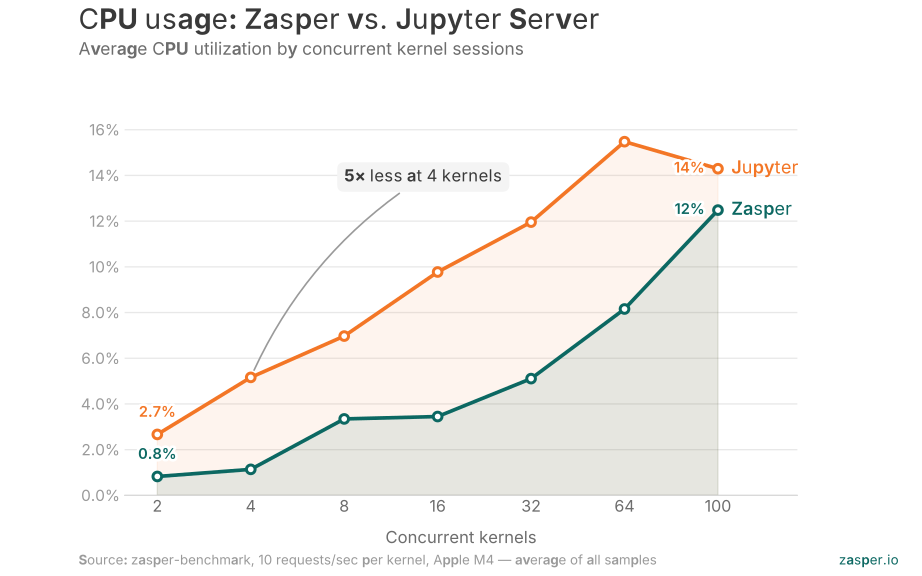
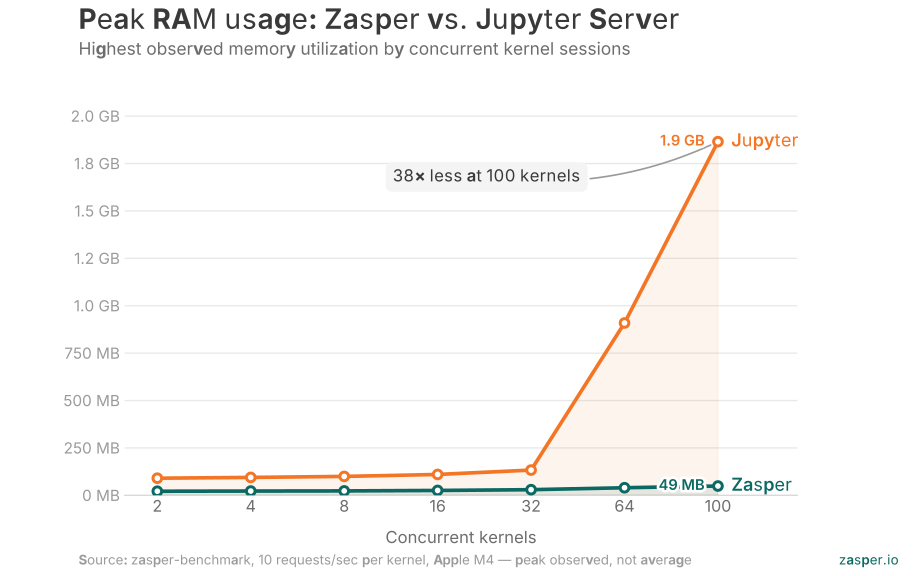
We ran Zasper and Jupyter Server against the same load on an Apple M4: 10 requests a second to every kernel, from 2 kernels to 100. Zasper used less memory and less CPU at every step. At 100 kernels, Jupyter Server held 1.9 GB and had dropped every connection. Zasper held 49 MB and answered every request.
100 concurrent kernels
248163264100
Peak RAM
Zasper49 MB
Jupyter Server1.9 GB
38× less RAM
Average CPU
Zasper12.5%
Jupyter Server14.3%
1.1× less CPU
Replies per request
Zasper5.0 of 5
Jupyter Server1.5 of 5
Jupyter Server is dropping replies
CPU is the average across each run; memory is the peak. The memory gap grows with load, from 4× at 2 kernels to 38× at 100. The CPU gap is widest at light load, 4.5× at 4 kernels, and closes at 100, where Jupyter Server is still busy but no longer replying. Every number comes from the raw runs in zasper-benchmark, where the method is public.
Features
A full IDE, around your notebooks.
Every screen here is from a live session.
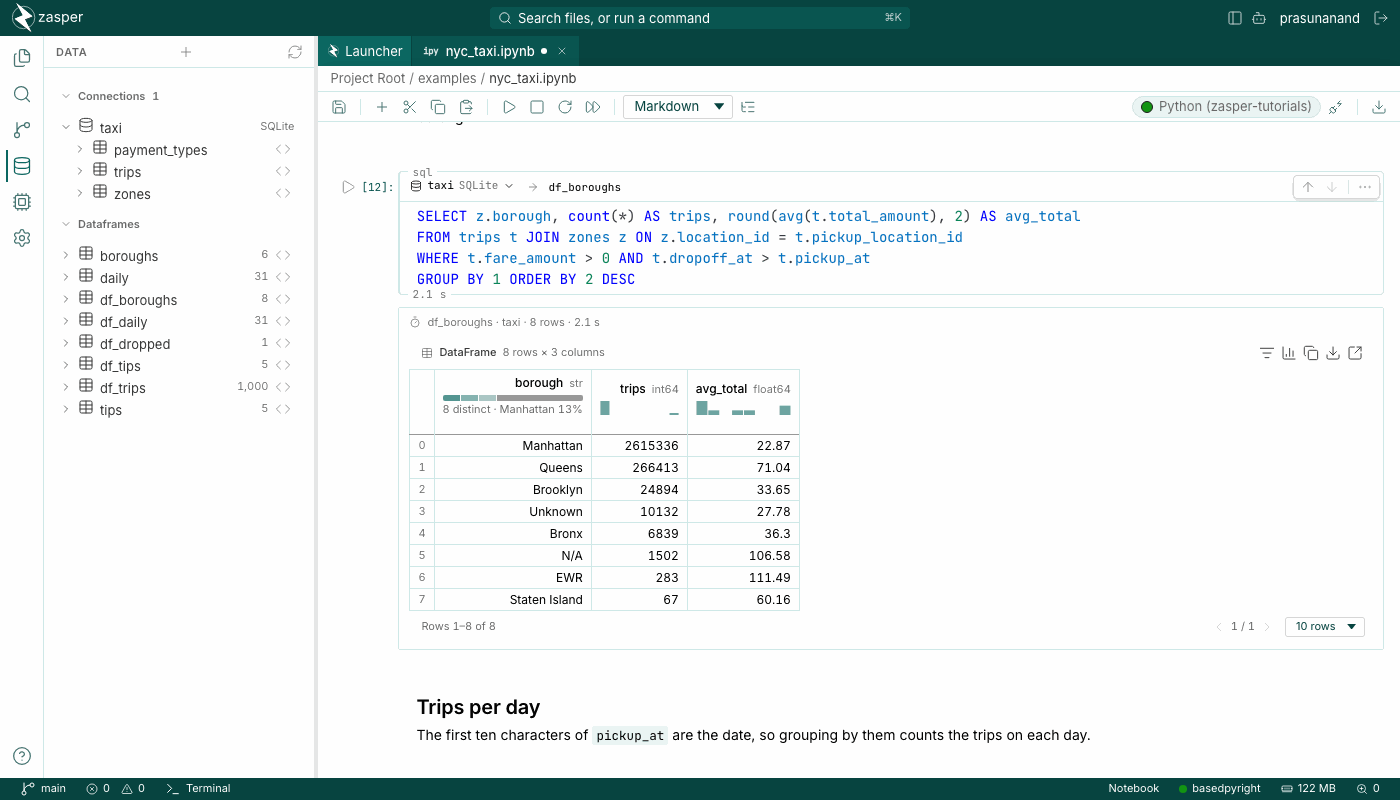
SQL cells
SQL, right next to Python
Query PostgreSQL, DuckDB, Snowflake or your own DataFrames, and get a DataFrame back.
Use Zasper under the GNU AGPL, or under a commercial license if the AGPL does not fit your product.
Open source
AGPL-3.0-only
Running Zasper, on your machine or a server, needs nothing more. If you distribute it, or offer a modified version over a network, the AGPL asks you to share your changes under the same license.
For your notebooks and kernels, yes: same files, same kernelspecs, same protocol. It is its own app, though, not a copy of JupyterLab's interface or extension system.
How is Zasper different from a hosted notebook like Hex?
Hex runs your code in its cloud and keeps projects in its own format. Zasper runs on your machine or server, keeps plain .ipynb files, and uses your own agent subscription. Hex suits teams publishing dashboards; Zasper is for the people writing the notebooks. Zasper and Hex, side by side
Do my JupyterLab extensions work?
No. Zasper has its own extension model, so JupyterLab extensions will not load. If one is essential to you, that is a good reason to stay.
Does it work on Windows?
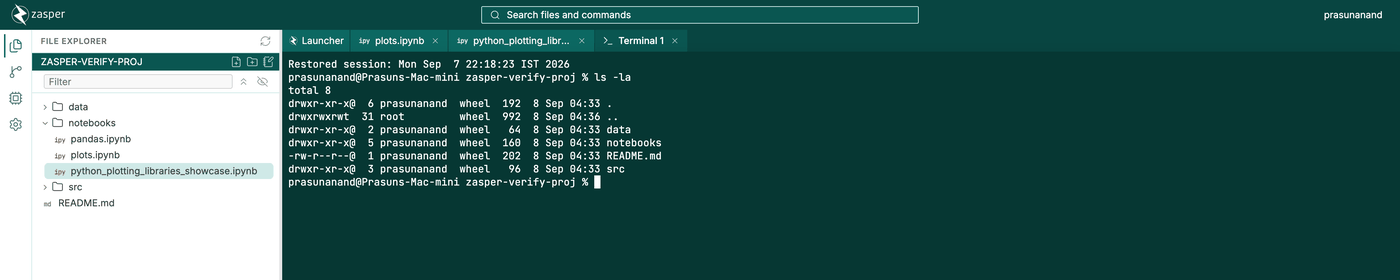
Yes, there is a Windows build. The built-in terminal needs WSL, so we recommend running Zasper under WSL.
Is it really free?
Yes. Under the AGPL-3.0 you can install it, run it, host it and change it. The commercial license is only for building it into a proprietary product.
What happens to my conda and uv environments?
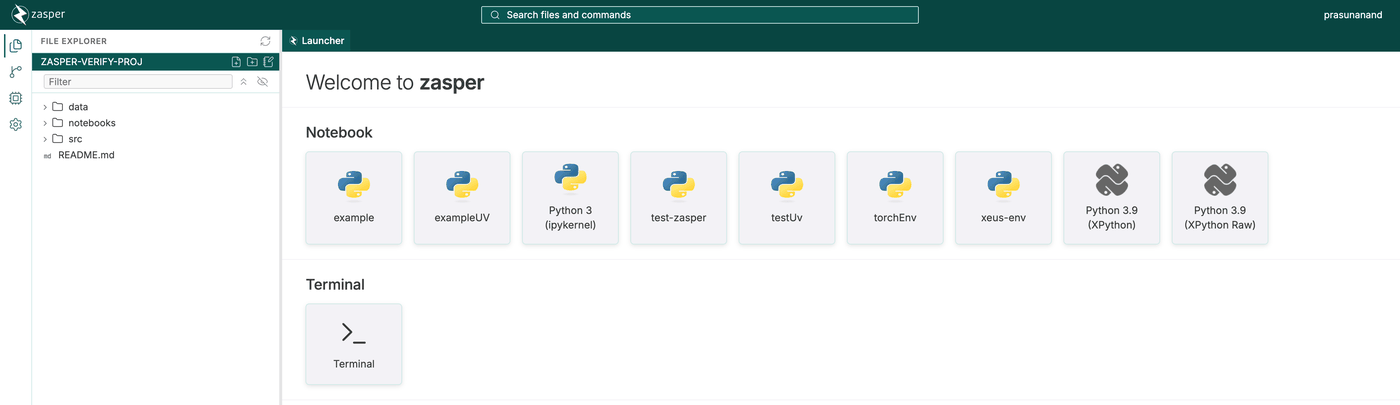
Any environment registered as a Jupyter kernel shows up in the launcher. Zasper also finds the active environment, your base conda install, or a trusted project's .venv, as long as it has ipykernel.
Which coding agents work, and what do they cost?
Claude Code, Gemini CLI, Codex and any agent that speaks ACP. Claude Code is the one tested most. Each runs on your own subscription, so Zasper adds no cost and never holds a key. Agents outside Zasper can connect through its MCP server.
Does my code leave my machine?
No. Zasper runs on your machine, and your files stay there. A coding agent you start talks to its own provider, as it would in a terminal. Zasper sends anonymous usage data with no file names, paths, contents or IP address; ZASPER_TELEMETRY=0 turns it off, and PRIVACY.md lists everything. It also checks zasper.io for updates once a day, and loads widget libraries from jsDelivr unless you turn that off in Settings.
Community
Built in the open, with the people who use it.
Here is what to know before you depend on it.
Latest release2.1.0, with coding agents, a variables panel and SQL cells16 October 2026
StabilityThe HTTP and WebSocket API, the config file and the command-line flags follow semantic versioning. Breaking changes come only in major releases, with notes.
Written inGo on the server, TypeScript and React in the browser, in one repositoryAGPL-3.0
Contribute
Good first issues
Start with an open issue. The developer guide gets you building from source in two commands.